Scan Vehicles with WAiNK
Mission guide
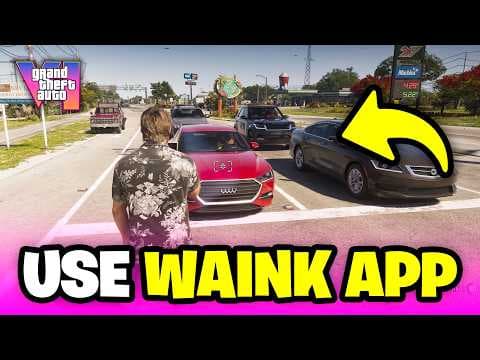
To scan, hold D-Pad Up to open the WAiNK app, look at a nearby vehicle and press R1/RB. GTABase says the same scan reports a vehicle's stats, condition and security before you steal it: whether it is locked, alarmed or keyless, and whether it carries a standard tracker (no modifications until registered) or an advanced tracker (alerts the police unless you keep moving fast). Scanned vehicles are listed under Progress > Vehicles / Animals. You do not need to drive anything you scan.
PowerPyx suggests standing by a busy road and scanning passing traffic from early in the game. Vehicle types depend on the area: PowerPyx notes pickup trucks in the countryside and supercars in Vice City, while GTABase points to supercars around the Ocean Beach hotels in Vice City, vans and trucks in Port Gellhorn and everyday cars in Key Lento. Boats and aircraft count too. GTABase says 200 should come naturally during the story.
Discovering 100 vehicles unlocks the Whip It Good trophy, per PowerPyx. The app also matters for Randy's Wish List in Chapter 3: PowerPyx says scanning high-end sports cars tells you whether Randy wants them, and finishing his final job earns the Supply & Demand trophy.
Where: anywhere in Leonida
Reward: 100% Completion progress and the Whip It Good trophy
Seen in this mission
Quick answers
What is Scan Vehicles with WAiNK in GTA 6?
Scan Vehicles with WAiNK is a side activity in GTA 6 in which you scan cars, bikes, boats and aircraft with the WAiNK phone app to log them. PowerPyx and GTABase both say the 100% Completion checklist needs any 200 of the 277 base model vehicles; the 280 Standout vehicles, fixed-location unique cars, do not count.