Phone camera, selfies and Snapmatic
Mission guide
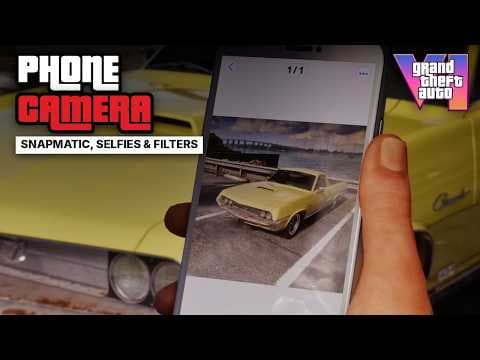
According to GameRant, you get the phone once Lucia's prologue section ends and you take control of Jason. Press Up on the D-pad and open Camera, the third icon in the first row. Both cameras have Take Photo, Light (flash) and Gallery. The rear camera adds Show Grid (3x3 guides), zoom up to 5x, up to 17 filters, and Selfie, which switches to the front camera. In selfie mode, Pose gives Jason up to six poses, Expression gives up to seven expressions, and Partner Pose changes your partner's pose. GTABase adds that the Settings menu has a Camera tab with a Phone Display option, Default or First Person.
Snapmatic is a feed of posts by Leonida's residents. Insider Gaming says you can scroll it, like posts, read comments and mark on your map the place a photo was taken. You cannot post your own photos to it. For fuller shots, Photo Studio (photo mode) is opened from the pause menu and is separate from the phone.
Where: phone apps (Camera, Gallery, Snapmatic), from the end of the prologue
Reward: not listed
Seen in this mission
Quick answers
What is Phone camera, selfies and Snapmatic in GTA 6?
The phone camera is a phone app in GTA 6 for taking photos and selfies, which you can view later in the Gallery app. Snapmatic is a separate social feed app that you can only browse.