How to unfog the map
Mission guide
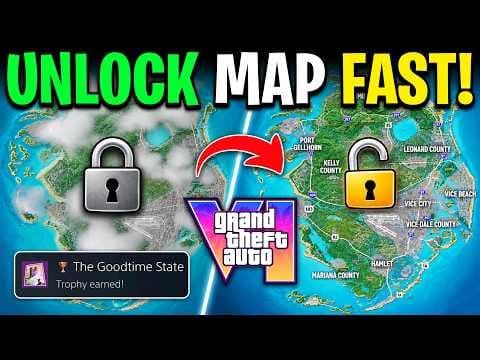
According to PowerPyx, the fog is not cleared in a circle around the player. The map is split into many small segments, and briefly entering a segment fully unfogs that whole area, so there is no need to land or circle. PowerPyx says it can be done as early as Chapter 1 and recommends clearing one region at a time.
PowerPyx recommends a double-decker crop duster rather than a jet: faster jets have advanced trackers that call in fighter jets to shoot you down, and their fuel does not last as long, while crop dusters draw no fighters and carry plenty of fuel. It lists three airstrips where planes spawn:
Location 1: the south of the map, near Key Lento.
Location 2: Mariana County, if no plane spawns at the first.
Location 3: the middle of the map in Kelly County, the best place to take a fresh plane once the south is cleared, so there is no need to fly back.
The first two are near the start of the game, and PowerPyx says Paradise Taxi, called from the phone contacts, can be used to travel there quickly. The fuel gauge appears above the minimap when pressing Down on the d-pad, if it is enabled in the UI settings. When the fuel turns yellow, land at the nearest airstrip and take another plane, because running dry makes the plane crash; planes respawn. Start each region with full fuel, and save manually often, as the game does not autosave frequently.
Where: all of Leonida, by air
Reward: The Goodtime State trophy/achievement (Bronze)
Seen in this mission
Quick answers
What is How to unfog the map in GTA 6?
Unfogging the map is a free-roam task in GTA 6: the map of Leonida starts covered in black fog, and clearing all of it unlocks The Goodtime State trophy (Bronze, "Explore all of Leonida"). PowerPyx's trophy guide also notes that some activities get marked on the map as it is unfogged, which helps with the Master of None trophy.