Deposit Cash Into BuckMe
Mission guide
It unlocks after Buck Me (Set Up Bank Account). According to PowerPyx, it has no map marker: open the map, select the storybook icon and scroll to Deposit Cash Into BuckMe in the quest list. It can be done at any ATM, and PowerPyx gives Key Lento, Mariana County, as the starting location.
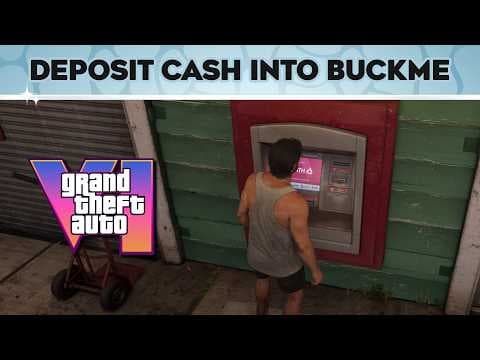
According to PowerPyx, open the BuckMe app on the phone and select "ATM Finder - Set Destination", which marks the nearest ATM automatically; there is one right near Jason's house. Interact with the ATM and deposit some pocket cash to finish the mission. GTABase gives the same two steps: find an ATM, then deposit the cash.
PowerPyx lists the main rules of BuckMe banking. Money moved into Family Savings can never be withdrawn, but it can never be lost either. Each savings goal unlocks perks that reduce prices on various purchases, and each savings level raises the checking account limit. When checking is full, incoming payments are held until money is spent or moved to Family Savings. Purchases over $1,000 are paid through BuckMe, because vendors only take pocket cash for items up to $999. Cash can also be withdrawn from checking at any ATM. The savings goals and perks continue in the optional mission Save for the Future, which runs through the whole story.
Both guides advise against carrying pocket cash: it is lost on death, and with $0 in the pocket every purchase is paid through BuckMe. PowerPyx adds that some of the checking balance is also lost on death, but less than carried cash.
Quest giver: BuckMe app (PowerPyx)
Where: any ATM; one is right near Jason's house in Key Lento
How to unlock: after Buck Me (Set Up Bank Account)
Reward: none
Seen in this mission
Quick answers
What is Deposit Cash Into BuckMe in GTA 6?
Deposit Cash Into BuckMe is a Chapter 1 main story mission in GTA 6, played as Jason, in which he puts some of his pocket cash into his new BuckMe checking account at an ATM. PowerPyx and GTABase both list it as mission #15 in story order.